Live visuals · from the room
Turn any screen into the light show.
Point your phone at the music. The sound in the room drives the visuals, and a TV or projector shows them in time with the beat.
Free. Nothing to install, no account, no cables. Opens in the browser you already have.
Recorded from a laptop. A 3D figure turning with the beat over looks that change on their own.
Live
For the party
The phone hears the room and the TV or projector follows the beat. Free, nothing to install, no account. No microphone at hand? It runs on a steady beat you tap in.
How it worksStudio
For your release
The same looks as a video to your own track: a Spotify Canvas, a Reel, a loop for YouTube or the screen behind the DJ. Drawn on your device, frame by frame, on every beat.
See StudioTry it yourself
The real thing, cut down to fit a web page

This is Strobeon itself running in the page, not a video. It is a small desk on purpose: four looks, four effects, five colour sets, the text layer and one object. Drag the picture with your mouse or finger. Tap USE MY MIC and it hears you instead of running on a clock.
The app has more than seventy looks, twenty-five effects, sixteen objects and your own, palettes you build, pads, a deck, Auto DJ, the second screen and the rest. Nothing to install: the button below opens it.
How it works
Three steps, no setup
Open Strobeon on your phone
Tap BEGIN and allow the microphone. The phone listens to the room and locks onto the beat within a few seconds. That is the whole setup.
Put the screen on the wall
Open the screen page on the laptop that feeds your TV or projector. It shows a code and a QR. Scan it with the phone and the wall follows, in time, over Wi-Fi.
Play
Pick a look, drag a finger to warp it, hold a pad for a strobe or a freeze, or turn on Auto DJ (Pro) and put the phone down. The wall draws its own picture, so nothing lags behind the music.
Auto DJ PRO
Put the phone down. It keeps going.
Turn on AUTO in the top bar and Strobeon changes the look by itself, always on the first beat of a bar, never in the middle of one. Two ways to run it:
Through all the looks
It walks the whole collection at random, never the same look twice in a row, on a pace you set: every 4, 8, 16 or 32 bars.
Through your presets
Save a look (a mood, its effects, its colours) as a preset in Effects. Save five, ten, twenty. Auto DJ plays your presets instead, so the night has your taste in it and still needs no hands.
BURSTS adds a strobe, a zoom or a mirror on each change, fading over the next bar. CHANGE ON THE DROP makes the drop itself a change: the moment the kick comes back, the next look lands on it. With the deck open every change is a one-bar fade instead of a cut. Auto DJ is part of Pro and of Venues.
Who it is for
One phone, one speaker, one wall
Party hosts
The TV in the living room becomes part of the night. More than seventy looks, a colour that follows the track, and with Pro a mode that runs itself while you talk to people.
DJs
Visuals that hear what you play, with no laptop rig to carry. Tempo lock, build and drop detection, performance pads, and a deck to prepare the next look before you cut to it.
Bars, clubs and event crews
Your logo on the wall, placed where the sponsor wants it. Lock the controls for the night. Let guests scan a code so their phones flash with the wall.
Looks
Real output, not mockups
Ten factory looks ship with the app, free to try on any plan. The ones that use Pro parts run as far as the free app goes. Each loop below was rendered by Strobeon's own Studio export, frame by frame on a test beat. Hover or tap to play it, and Open this look starts the app on it.
-
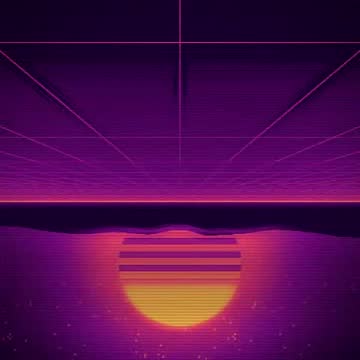
NEON PIER
A grid running into a sunset, scanlines on top.
Open this look -
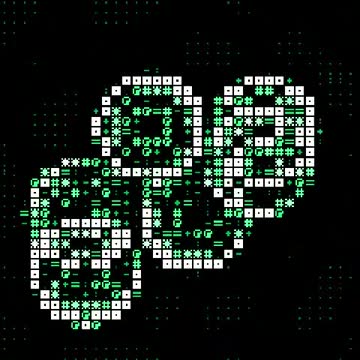
TERMINAL
Rings redrawn in green text, like an old terminal.
Open this look -
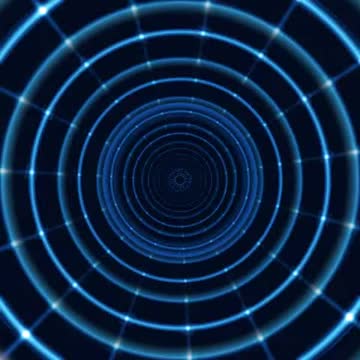
ICE TUNNEL
A cold tunnel that kicks forward on every beat.
Open this look -
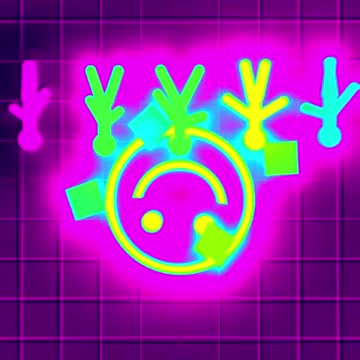
ACID HOUSE
Smileys on a grid in acid colours, tearing on the hits.
Open this look -
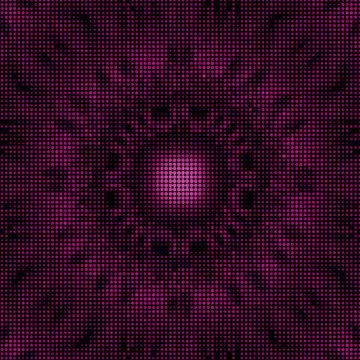
PRINT SHOP
A kaleidoscope as pink print dots.
Open this look -
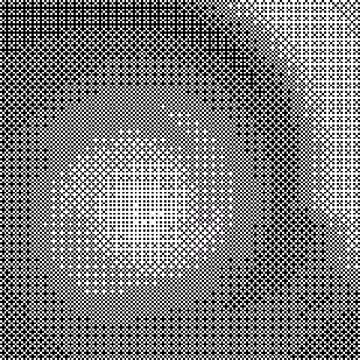
ONE BIT
A spiral in black and white dots, like a 1-bit screen.
Open this look -
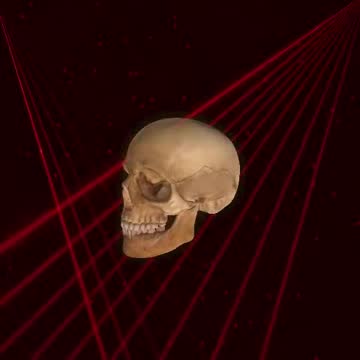
FIRE SKULL
A skull turning with the beat over red lasers.
Open this look -
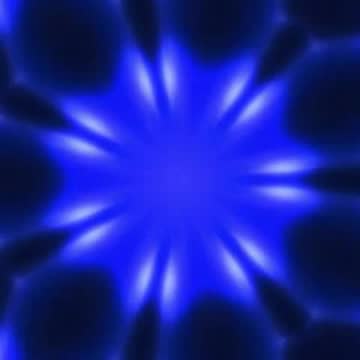
MIRROR TRANCE
Trance rings folded into a mirror, all free knobs.
Open this look -

NORTHERN LIGHTS
Slow curtains of light for before the party.
Open this look -
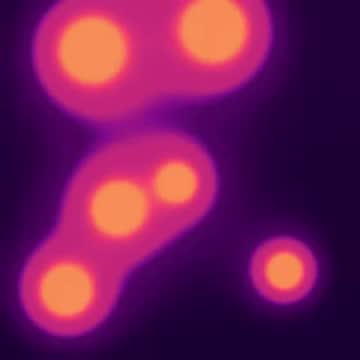
LAVA LOUNGE
A lava lamp the size of the wall, breathing with the bass.
Open this look


Beyond these ten: fractals and 3D flights, real MilkDrop presets, sixteen 3D objects turning with the beat, a camera layer that draws only outlines and movement, and calm looks (LAMP, AURORA, LAVA, HAZE) that turn the whole screen into slow, breathing light. The screenshots below are from the app as well.
The layer sits on top of every look: a logo, a line of text, the camera as an outline, or a 3D object. Sixteen objects are built in and free (a skull, a dolphin, a heart, a car, a human, a hand and more). Your own object (Pro): upload an .obj or .glb from the phone, up to 40 MB, and the wall gets it from the phone, nothing to install on the laptop.


Why this is different
What you do not have to do
No install, no account. Strobeon is a web app. Open the link, tap BEGIN. Add it to the home screen if you want an icon and fullscreen, but you do not have to.
No cables, no casting lag. The phone sends the state of the picture, a few kilobytes a frame, and the wall draws it itself. Casting sends video and arrives one to three seconds late. Strobeon is on the beat.
No metering. Everything renders on your own devices, so there is no cloud bill to pass on. The free tier is unlimited and stays that way.
No recording, no upload. The microphone and the camera are analysed on the phone and never leave it. There is no server listening in. The pairing service only relays the picture's state between your two devices.
No VJ jargon. Looks, effects, layers, pads. Every control is a word a guest would understand, and the guide in the app explains each one.
No strobe by accident. SAFE FLASH is on by default and caps every flash at three per second (WCAG 2.3.1). PANIC fades the wall to black in one tap.
Plans
Free is the whole show. Pro is your colours on it.
Prices as shown in the app, VAT included. Buy on this site or in the app, and the key arrives by email. Pro never renews. Compare every feature on the pricing page.
For your party
One phone, one speaker, one wall.
Every look, the room mic and beat lock, ten core effects, the camera layer, the second screen, factory looks to start from, installs like an app. A small STROBEON mark in the corner of the wall.
Your colours, your words, your logo, your own 3D object, and fifteen more effects. Saved looks, the deck, Auto DJ, clean 1080p clips of every drop, and Studio videos up to 15 seconds at 1080p.
For releases & socials
Your track, your look, a video file.
Everything in Pro, plus videos of any look to your own track: Spotify Canvas, Reels, YouTube, up to 4K and as long as the track, without the mark. Stills, and projects kept on your device.
The same Studio, paid once a year: about four months free.
For venues & DJs
Branded, hands-free, every week.
Everything in Studio, plus the logo anywhere in full colour, no mark on the wall, stage lock for the night, crowd sync for the guests’ phones, sound check, and a person who answers before the doors open.
The Venues tier for one event, 48 hours from the moment the key goes in. Buy it on the afternoon, forget it on Monday.

Venues
Built for the booth, not just the living room
Sound check shows what the microphone actually hears: the spectrum with the kick band and the crowd band marked, three seconds of onset flux against the bar it has to clear, the predicted beats, and every detector's number next to its threshold. Five sliders tune those thresholds to the room (onset sensitivity, tempo lock, kick gone, crowd ratio, crowd flatness) and stay on that phone. Play the room's music, move one thing at a time, and Copy stats sends a snapshot when something is off.
Around it: stage lock hides every control for the night (triple-tap a corner to get them back), crowd sync lets guests scan a code so their phones flash with the wall, vote on the next look and send a line to it, the logo goes anywhere in full colour, and the mark on the wall goes away.
Auto DJ: the Pro feature that runs the night for you
Hands free. It walks all the looks or your own presets, every 4 to 32 bars, with bursts and changes on the drop. Part of Pro and of Venues. How it works.
Questions
Before the doors open
Is the wall really in time with the music?
Yes. The phone does not send video. It sends the state of the picture, and the wall renders it locally, so there is no encode step and no casting delay. Over Wi-Fi the two are within a few milliseconds of each other. The phone also sends a beat anchor, so even a jittery network keeps the pulse on the beat.
Does it need the venue's Wi-Fi?
The phone and the screen find each other through a small pairing service and then talk to each other directly. When a network blocks that (guest Wi-Fi with client isolation is the usual case), Strobeon falls back to relaying through the pairing service and tells you so with an amber RELAY pill. Both devices need internet access. The phone can be on 4G.
What does the microphone hear, and where does it go?
Nowhere. The sound is analysed on the phone for its beat, bass, mid and high bands. Nothing is recorded and nothing is sent. The same is true of the camera layer, which draws outlines and movement and never shows or stores the picture. On a laptop running Chrome or Edge you can take the sound straight from the computer instead of a microphone.
What about the phone's battery?
Strobeon keeps the screen awake and renders every frame, which is what a game does. Expect a full evening on a charged phone with the brightness turned down, or keep it on a cable next to the speaker. The app watches its own frame rate and lowers the resolution before it stutters, so an older phone runs a lighter version rather than a laggy one.
What can I put the picture on?
Anything with a browser: a laptop on HDMI into a TV or projector, a smart TV's own browser, a second window on the same computer. Open the screen page there, and pair the phone with the code on it. Laptop into projector gives the best picture.
Is it flashing-light safe?
SAFE FLASH is on by default. It caps strobes and inverts at three flashes a second, the WCAG threshold, and halves the flash on a drop. The splash screen says the app contains flashing light, and the PANIC button fades the wall to black in one bar.
Do I need a microphone?
No. START WITHOUT MIC runs the show on a steady 120 BPM, and four taps on the BPM pill set your own tempo. PLAY A TRACK plays a music file through Strobeon itself, and the visuals follow the file instead of the room. On a laptop with Chrome or Edge it can also take the computer's own sound.
Can I make a video for my release?
Yes. Studio turns the look on screen into a video moving to your own track: a Spotify Canvas, a Reel or TikTok, a square post or a YouTube video. It is drawn on your device, frame by frame, and the track is never uploaded. Free makes short videos with a small mark, so you can try it first.
How do I pay?
In the app, or on this site. Pro is paid once and never renews; Studio and Venues are subscriptions you can cancel any time; an Event pass covers one event. The key arrives by email and works on any phone you paste it into, without an account. All prices.